Engine oil capacity
6.5 L
- Oil change with filter
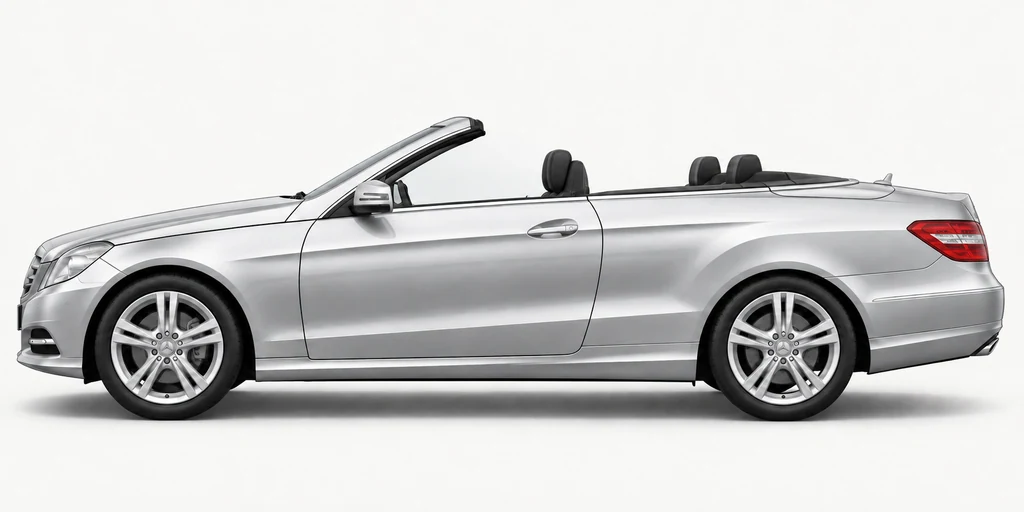
Jan 2010 – Dec 2016 · Convertible · Diesel · 207.402, 207.401
Oil, coolant and a checklist for your next service.
6.5 L
10 L
MB 229.52
MB 325.6 or MB 326.6
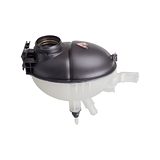
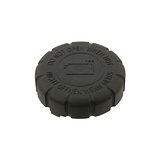
Do not mix different coolant types. Let the cooling system cool before opening the reservoir. Check the level after filling. The capacity shown is not a top-up amount.
OM 651.911
Rear-wheel drive
8.3 L
9 L
DOT 4
The gearbox figure is the quantity listed for the gearbox. A fluid change usually takes less, so fill to the correct level rather than to the figure. Two gearboxes are listed for this car, so check which one yours has before buying fluid.
A year-by-year plan for the routine jobs. Service earlier when the dashboard mileage reminder is due.
| When | Service | What to do |
|---|---|---|
| Year 1 | Service A |
|
| Year 2 | Service B |
|
| Year 3 | Service A |
|
| Year 4 | Service B |
|
| Year 5 | Service A |
|
| Year 6 | Service B |
|
Service sooner if the dashboard kilometre limit is reached before the year is up. This pattern starts with the first service. Use your service history to find your place in the cycle; count separate fluid and filter intervals from their last change.
| Part or fluid | When to replace it |
|---|---|
| Engine oil and oil filter | Every 1 year, or sooner if shown on the dashboard |
Brake pads, discs, tyres and wipers do not share a fixed replacement mileage.
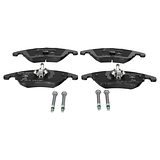
Check pad thickness and disc condition. Replace when they reach the wear limit.
Replace blades that leave streaks, skip across the glass or have damaged rubber.
Check tread, damage and cracking, and correct the pressures.
Service A and Service B alternate, normally once a year. Follow the time or kilometres remaining on your dashboard, whichever comes first. Extra work can fall due with either service.
When Service A is due on the dashboard
When Service B is due on the dashboard
Tick off jobs as you go. Your ticks are saved on this device.
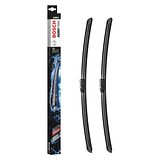
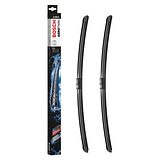
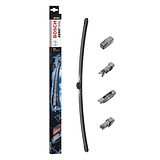
Check your vehicle’s build month and arm fitting against the rows below.
| Build date | Blade sizes | Attachment / clip | Matching blades |
|---|---|---|---|
| Jan 2010 - Feb 2013 | Driver 600 mm / passenger 600 mm | RBSL1.1 (arm code RBSL1) | Bosch A939S |
| May 2013 - Dec 2016 | Driver 600 mm / passenger 600 mm | RBTL2.0 (19mm) | Bosch A826S |
For right-hand-drive vehicles. Match the build month, existing arm connector and any fitting conditions before ordering.
Find wiper bladesFor the steering wheel with phone and OK buttons. Reset only after completing the service.
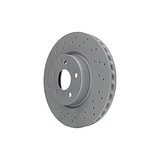
| Axle | Disc size | Type | Minimum thickness | Applies to |
|---|---|---|---|---|
| Front | 295 × 28 mm | Vented | 25.4 mm | Without sports package |
| Front | 322 × 32 mm | Vented | 30 mm | With sports package |
| Rear | 300 × 10 mm | Solid | 8.3 mm | All versions |
Size is diameter × thickness. Replace a disc before it wears to its minimum thickness, which is also marked on the disc itself. Where two sizes are listed for one axle, the car's equipment decides which it has: measure the disc to be sure.
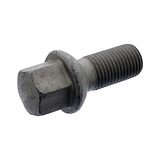
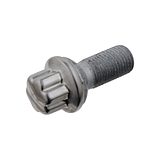
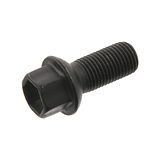
5 × 112
M14 × 1.5
| Wheel | Tyre size | Rim | Fitted to |
|---|---|---|---|
| 17-inch | 235/45 R17 | 7.5J × 17, offset ET45 | Front and rear |
| 18-inch | 235/40 R18Mercedes-approved (MO) tyres listed | 8.0J × 18, offset ET45 | Front and rear |
| 18-inch | 255/35 R18Mercedes-approved (MO) tyres listed | 8.5J × 18, offset ET49 | Rear |
| 18-inch | 255/35 R18Mercedes-approved (MO) tyres listed | 8.5J × 18, offset ET48 | Rear |
| 19-inch | 235/35 R19Mercedes-approved (MO) tyres listed | 8.5J × 19, offset ET44 | Front |
| 19-inch | 235/35 R19Mercedes-approved (MO) tyres listed | 8.0J × 19, offset ET45 | Front |
| 19-inch | 235/35 R19Mercedes-approved (MO) tyres listed | 8.0J × 19, offset ET44 | Front |
Sizes the parts catalogue lists for this car. A "Rear" row is the wider rear tyre on cars with different sizes front and rear. Your tyre placard, on the driver's door pillar, gives the sizes and pressures for the wheels your car was built with.
| Light | Bulb | Applies to |
|---|---|---|
| Headlight (low beam) | H7 · 55 W | Halogen |
| Headlight (low beam) | D1S xenon · 35 W | Bi-Xenon |
| High beam | H7 · 55 W | Halogen |
| High beam | H11 · 55 W | Infrared Light |
| High beam | D1S xenon · 35 W | Bi-Xenon |
| Front fog light | H11 · 55 W | Halogen |
| Indicator, front | PY21W · 21 W | — |
| Daytime running light | H7 · 55 W | — |
| Parking / position light | W5W · 5 W | Halogen |
| Reverse light | W16W · 16 W | — |
| Number plate light | W5W · 5 W | — |
| Interior light | W5W · 5 W | — |
| Boot light | W5W · 5 W | — |
Check the bulb you take out before buying a new one. Halogen, xenon and LED headlights use different bulbs, and LED lights usually have no bulb to replace.
| Case size (L × W × H) | Capacity | Cold cranking | Share of listings |
|---|---|---|---|
| 315 × 175 × 190 mm | 80 Ah | 800 A (EN) | 30% |
| 278 × 175 × 190 mm | 70 Ah | 760 A (EN) | 21% |
| 353 × 175 × 190 mm | 100 Ah | 850 A (EN) | 20% |
The main battery sizes listed for this car, most common first. The right one depends on the car's equipment, such as start-stop, so match the size, capacity and type printed on the battery you are replacing.
Engine, gearbox, brake, wheel, tyre, bulb, battery and plug details are taken from the parts makers' listings for this exact vehicle. Where those listings disagree, only the clear majority is shown.
Every part we stock that is listed to fit the E220 CDI / BlueTEC / d A207 2.1 litre · 125 kW. Build date and factory options can still affect fitment, so check the fitment table on a part before you order.
Print the specifications and checklist with your registration, VIN, mileage and the products you used.